Rack elevation
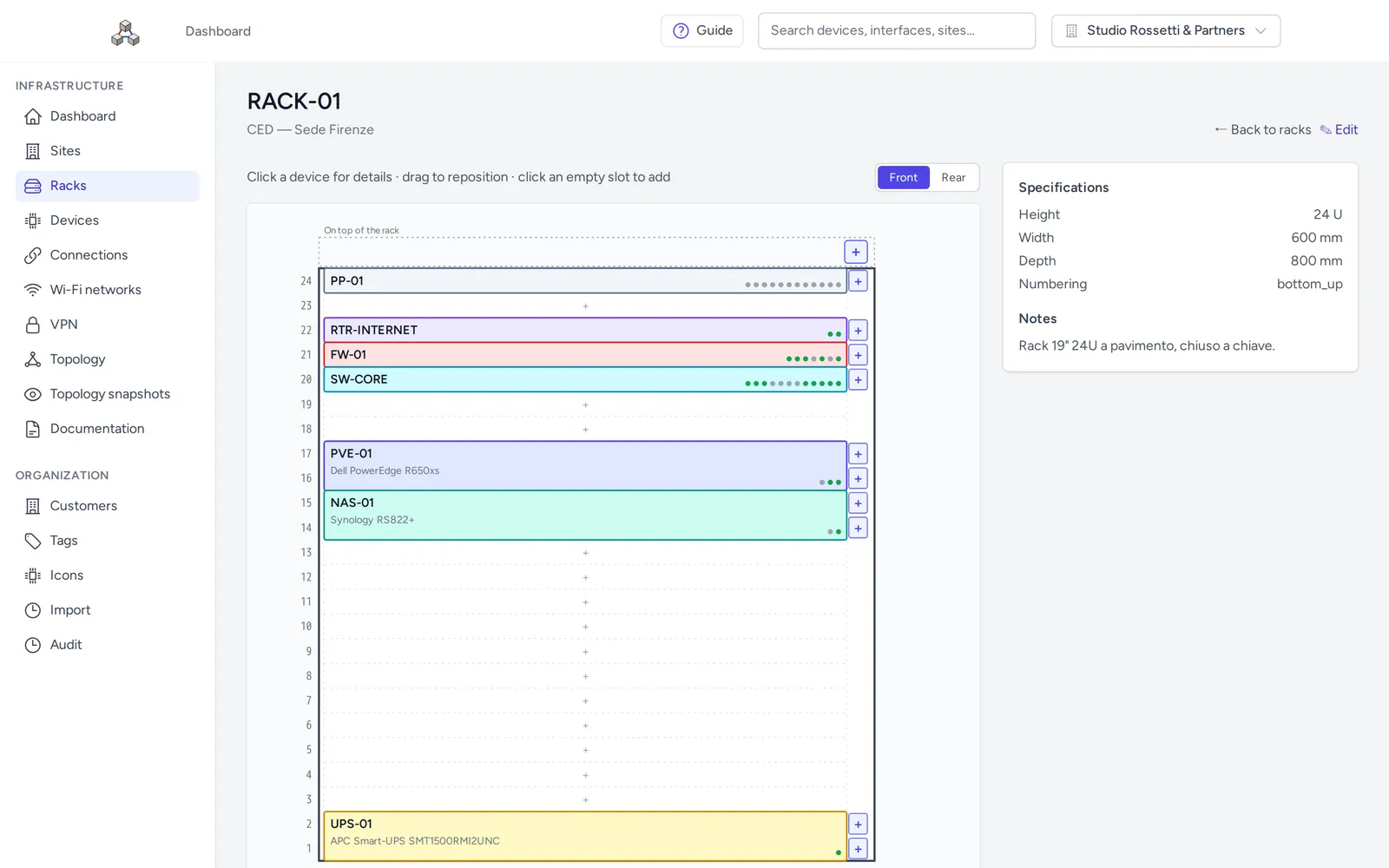
The rack drawn U by U, front and rear. Drag devices onto free U and Trama prevents overlaps and overflows. Lock a device so nobody moves it by mistake; click it to see its ports, connections and change history.
Trama is a web application where you record your customers' sites, racks, devices, ports and cables. From that data you get rack views, a map of the network and PDF documentation ready to hand over.
Open source under the Apache 2.0 license. Runs on your own server with Docker.
Every piece of data has its place, from the building down to a single cable. You start from the site and work down to the port.
The customer's building or address: an office, a plant, a shop.
A room inside the site, such as the server room or a wiring closet, with its floor plan.
The 19" cabinet: height in U, numbering, photos.
Switches, firewalls, servers, patch panels, access points, cameras: mounted at the right U, or outside a rack.
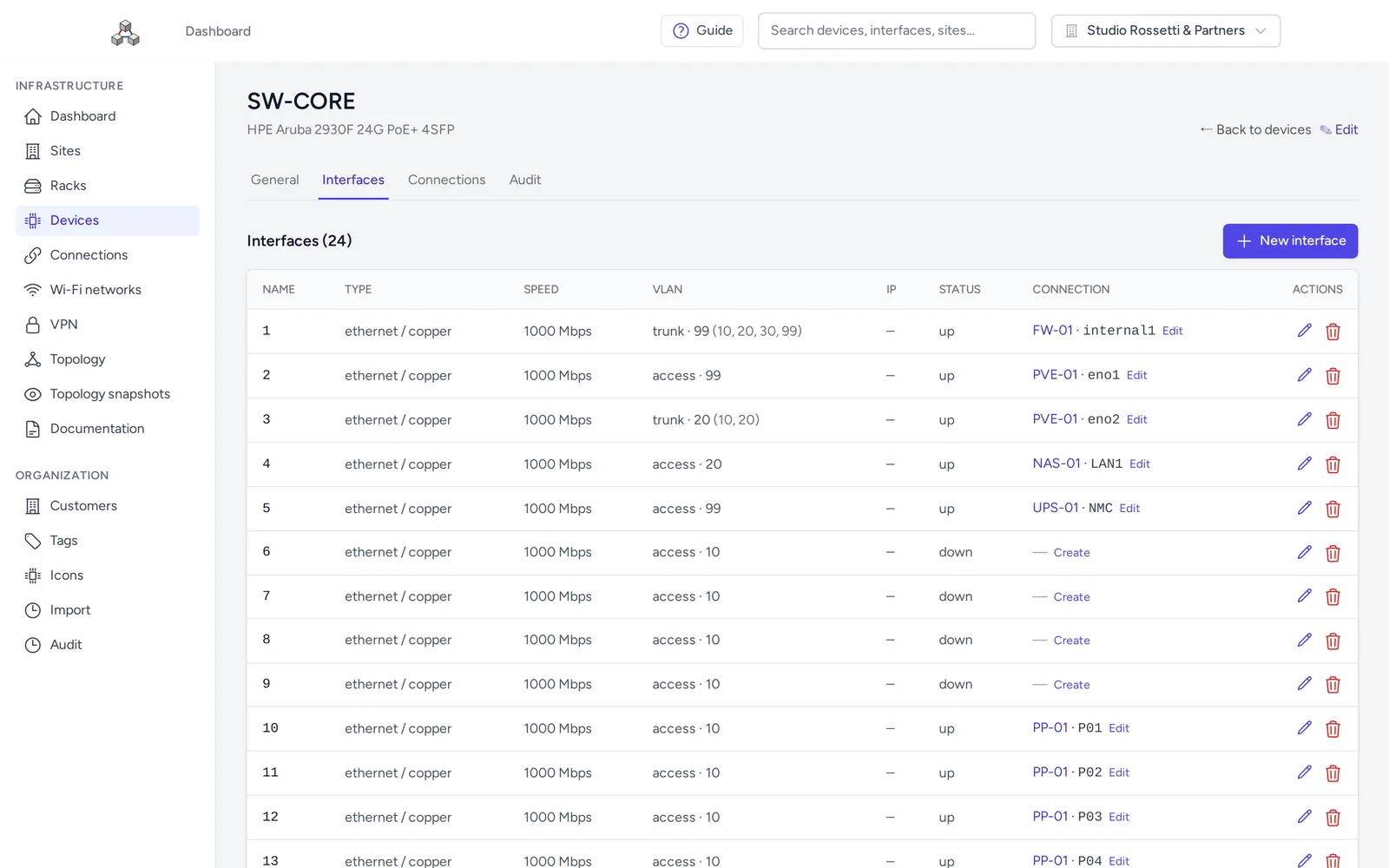
Every port on the device: type, speed, PoE, VLAN, IP address, status.
The cable between two ports, with type, length and label. A port can't have two active connections.
The rack drawn U by U, front and rear. Drag devices onto free U and Trama prevents overlaps and overflows. Lock a device so nobody moves it by mistake; click it to see its ports, connections and change history.
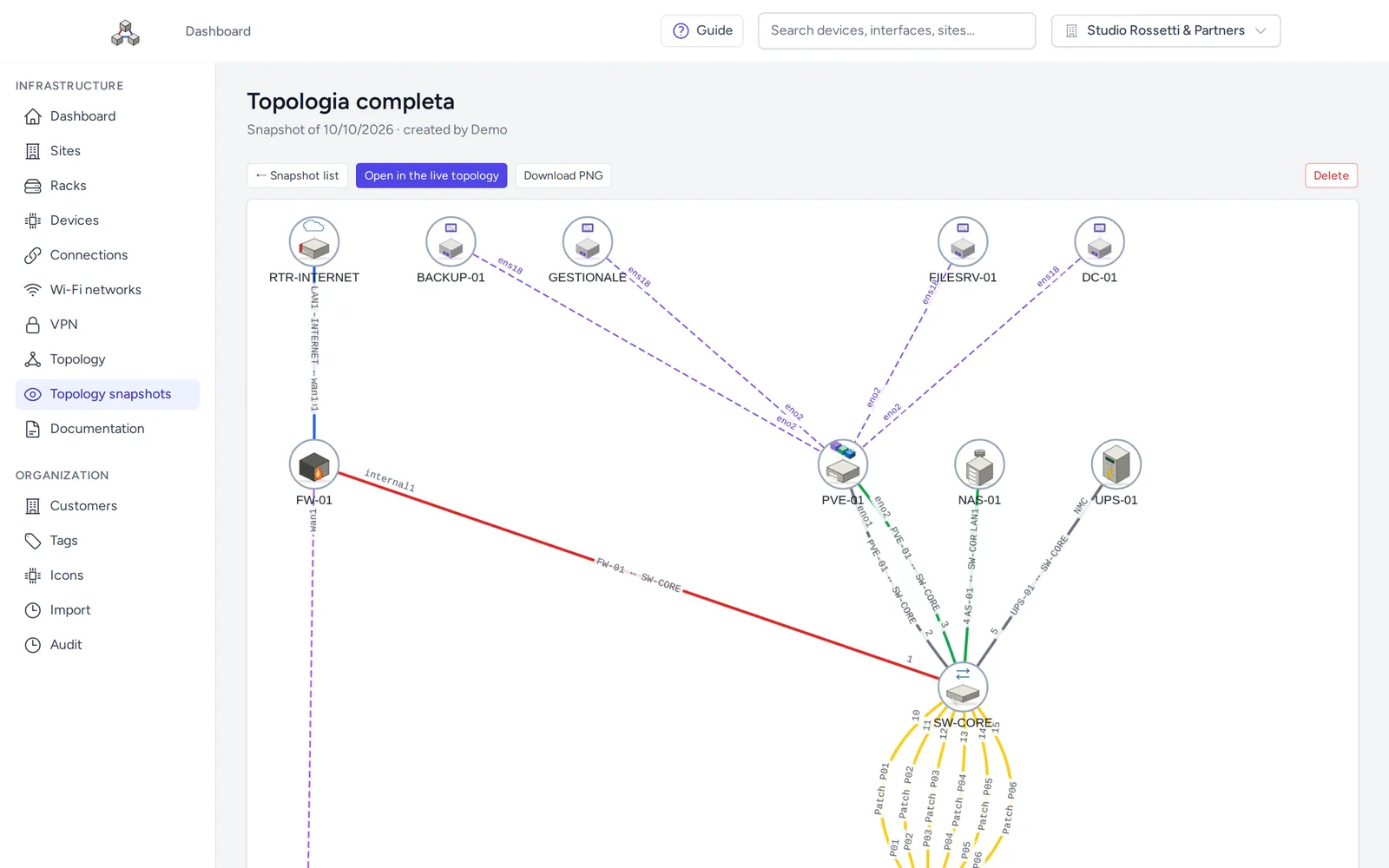
A graph of devices and connections, built from the data you entered. Pick a layout, filter by site, type, VLAN and status, export to PNG. Double-click a node to open its rack. Save the view as a snapshot and reuse it in documents.
Put together the document you hand over to the customer: choose sites, rooms, racks and devices and their order, with cover page, table of contents, front and rear rack views, floor plans and topologies. You can also print the PDF of a single rack.
Each customer's data is kept separate from everyone else's. Administrators manage users and customers, technicians work on every customer's data, and customer users get read-only access to their own infrastructure.
Record SSIDs, security and VLANs, the access points broadcasting them and the associated clients. Document remote-access and site-to-site VPNs, linked to firewall interfaces.
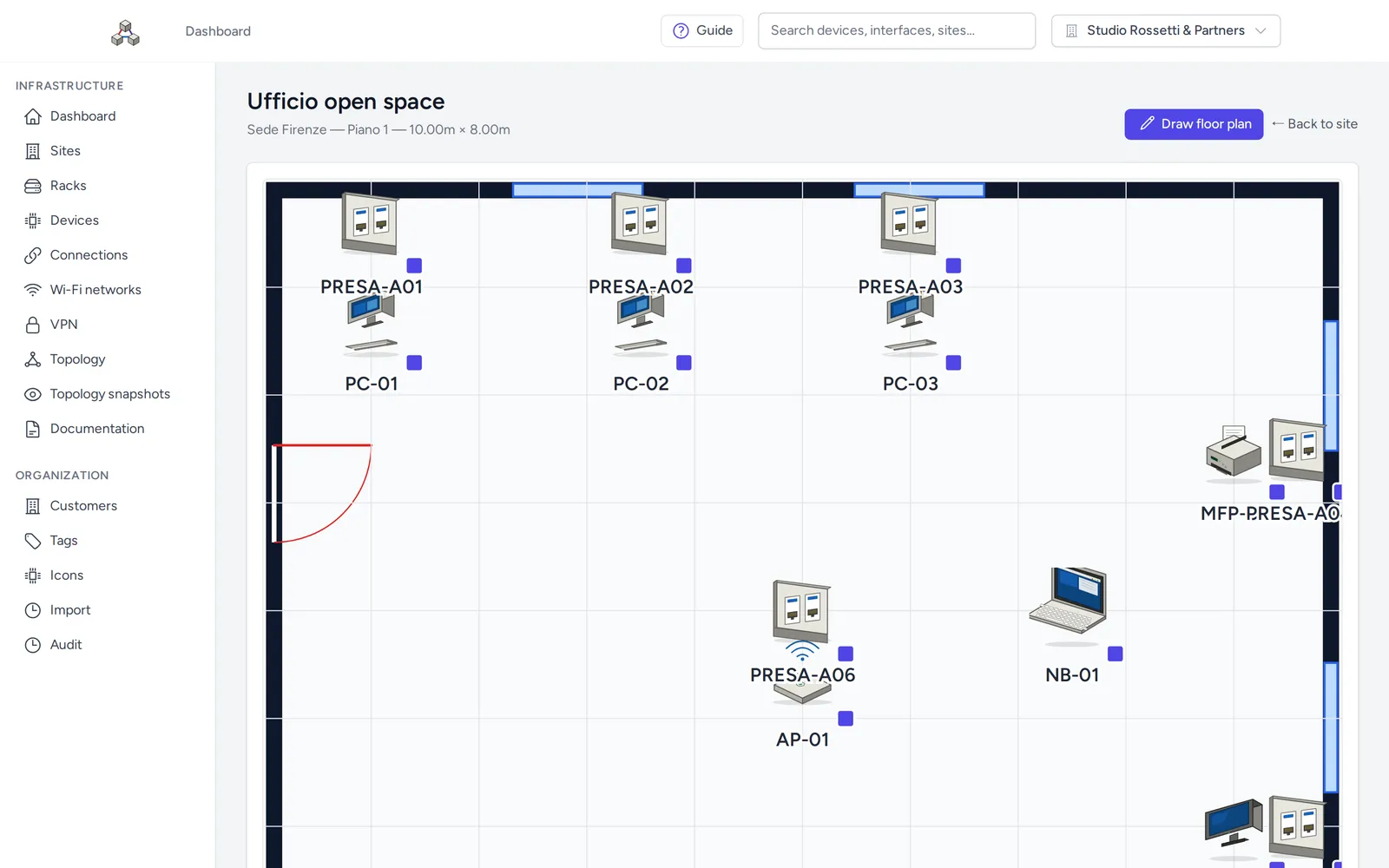
Draw walls, doors and windows to scale, or upload an image, and place racks and devices in the room.
Import devices from CSV with a preview: if a row is invalid, nothing is saved. Export devices to CSV and a whole customer to a .zip archive you can import again, even on another installation.
Read and change data through /api/v1 with a personal token; pick the customer with the X-Tenant-Id header. Swagger UI documentation included, Postman collection in the repository.
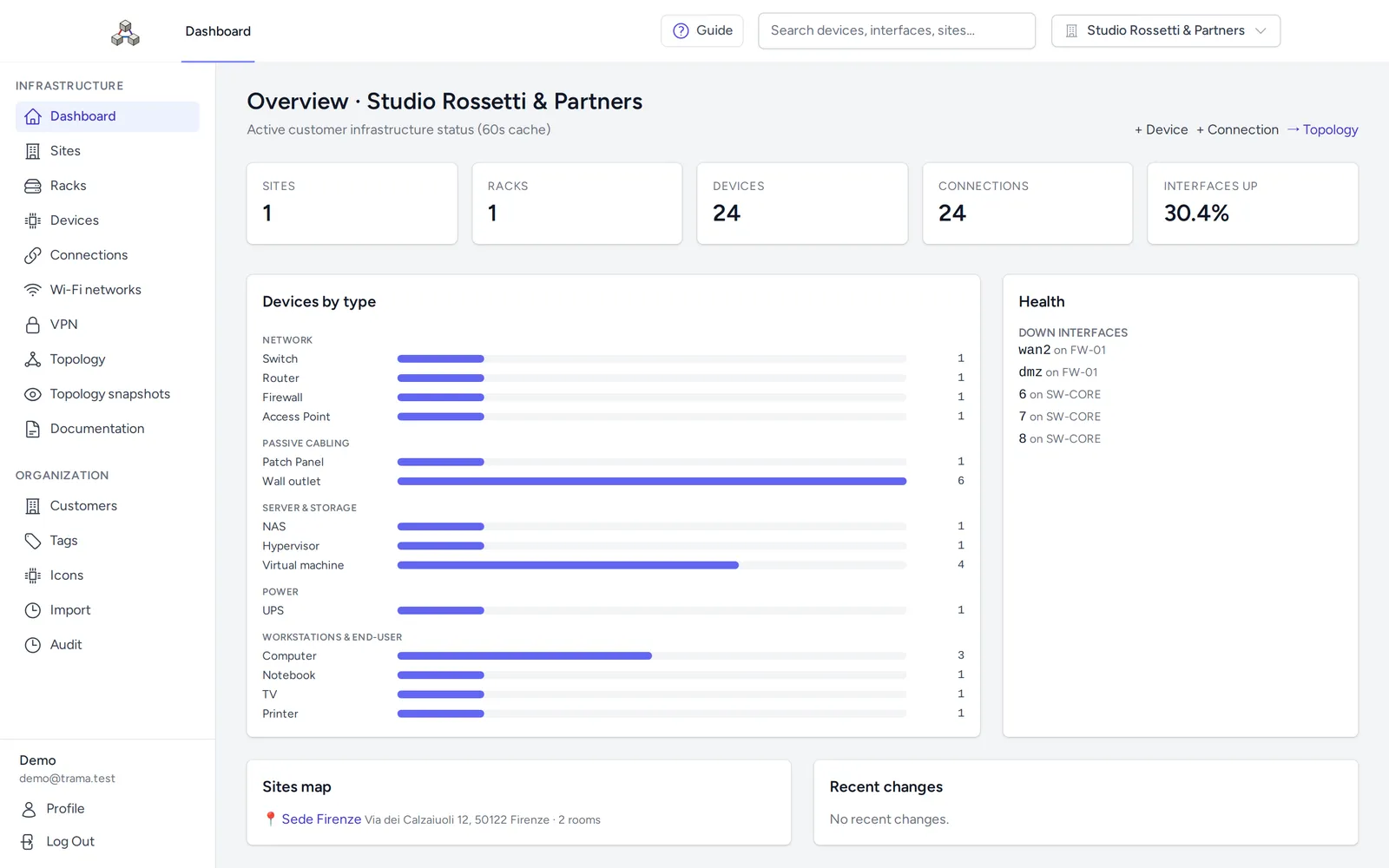
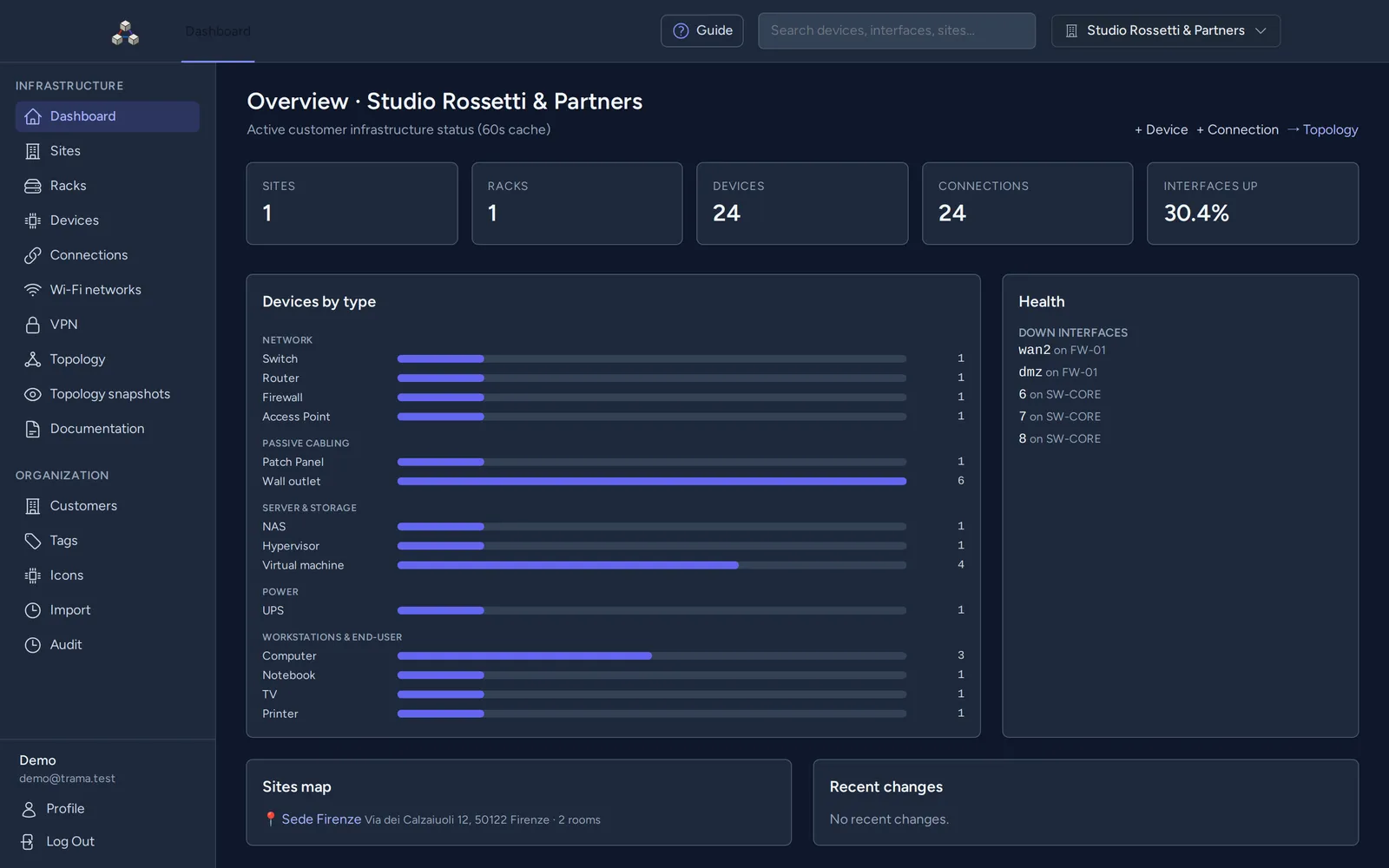
A dashboard with the numbers of the infrastructure and what needs attention (inactive devices, interfaces down), global search, notifications, dark theme, custom icons per customer and a guided tour for newcomers. Every change is kept in the audit log.
Screens from the public demo, with sample data.
You can use, modify and redistribute Trama, including for work and commercial purposes. Keep the copyright notice and the NOTICE file, and state the changes you make.
Trama runs with Docker Compose on your infrastructure. Your customers' data stays there: no external service, no account to create anywhere else.
Sites, rooms, racks, devices, interfaces, connections and topology are available at /api/v1, with token authentication and a limit of 60 requests per minute. Keep Trama in sync with your other tools without copying data by hand.
Each user picks the interface language. PDFs are generated in the language you choose for each document.
The public demo is open to everyone. Sign in with one click and change the data as you like.
[email protected]demoOr use the “Enter the demo” button on the sign-in page.
Every day at 03:00 (Italian time) all data is erased and restored. User management, profile, email and password changes, API tokens and password recovery are disabled in the demo.